Progressive UX Improvements
Two of the most important characteristics of good design are discoverability and understanding. Discoverability: Is it possible to even figure out what actions are possible and where and how to perform them? Understanding: What does it all mean? How is the product supposed to be used? What do all the different controls and settings mean?
— Don Norman, The Design of Everyday Things
Disclaimer: I am not a designer! I’m just some guy with a computer science degree working on this website for fun. I read one book on design a few years ago (and didn’t even finish it) and watched a few YouTube videos on the subject, and now I think I know everything.
Still, as the saying goes, you don’t need to be a chef to know whether food tastes good. Everyone who’s ever interacted with a website will have some sense for the quality of the site’s user experience (UX). Are common functions in the places you expect them to be? Do buttons and checkboxes do what you expect them to do? Anecdotally, a user frustrated with the answers to questions like that will usually continue with one of two paths:
- Push through the difficulties, and learn to deal with quirks and limitations.
- Stop using the tool entirely, never to return.
By the end of Endwalker, BLM in the Shell’s evolution from a weekend project had come a long way. When the next-best alternative for rotation planning is an Excel/Google Sheet, the simple and clean visualizations the tool provided were already a massive improvement. However, as the site metamorphosized into XIV in the Shell and our target audience broadened, annoyances both small and large became more apparent. Though we don’t track any sort of user retention statistics, I wouldn’t be surprised if UX difficulties have caused trouble for existing users, and deterred some new users from learning the tool in the first place.
Doing UX well is hard. This is especially true with our limited development resources: time spent solving UX papercuts is time not spent on adding new features, or time spent thinking about things that aren’t XIV in the Shell. In light of this stark economic reality, most of our UX changes have come in a piecemeal fashion, and may be difficult to notice for users not interacting with the site on a daily basis. I’m using this post to showcase the progressive improvements that the dev team has made since XIV in the Shell began, and why you should give our site a second chance if you’ve been put off by bad UX in the past.
The below clips are mostly taken from the live version of the site (xivintheshell.com) as of 20 Sept. 2025, with “old” behavior shown on the original PCT in the Shell site (picto.zqsz.me) or BLM in the Shell Endwalker Archive (miyehn.me/ffxiv-blm-rotation-endwalker/).
General Philosophy
Beyond adherence to general good web design principles (like making common actions easy to do, using visual hierarchy to organize components, and keeping the website responsive to inputs), XIV in the Shell has two unique sources of inspiration that inform its design.
- FFXIV
As obvious as it may sound, anyone who uses XIV in the Shell has (presumably) played a lot of FFXIV. As a result, we don’t need to teach users simple facts like “clicking a skill uses it,” or “a grayed-out skill is on cooldown.” Other parts of the FFXIV ecosystem, like XIVAnalysis and opener diagrams from The Balance, also make most users familiar with timeline visualization diagrams and the distinction between GCD/oGCD abilities.
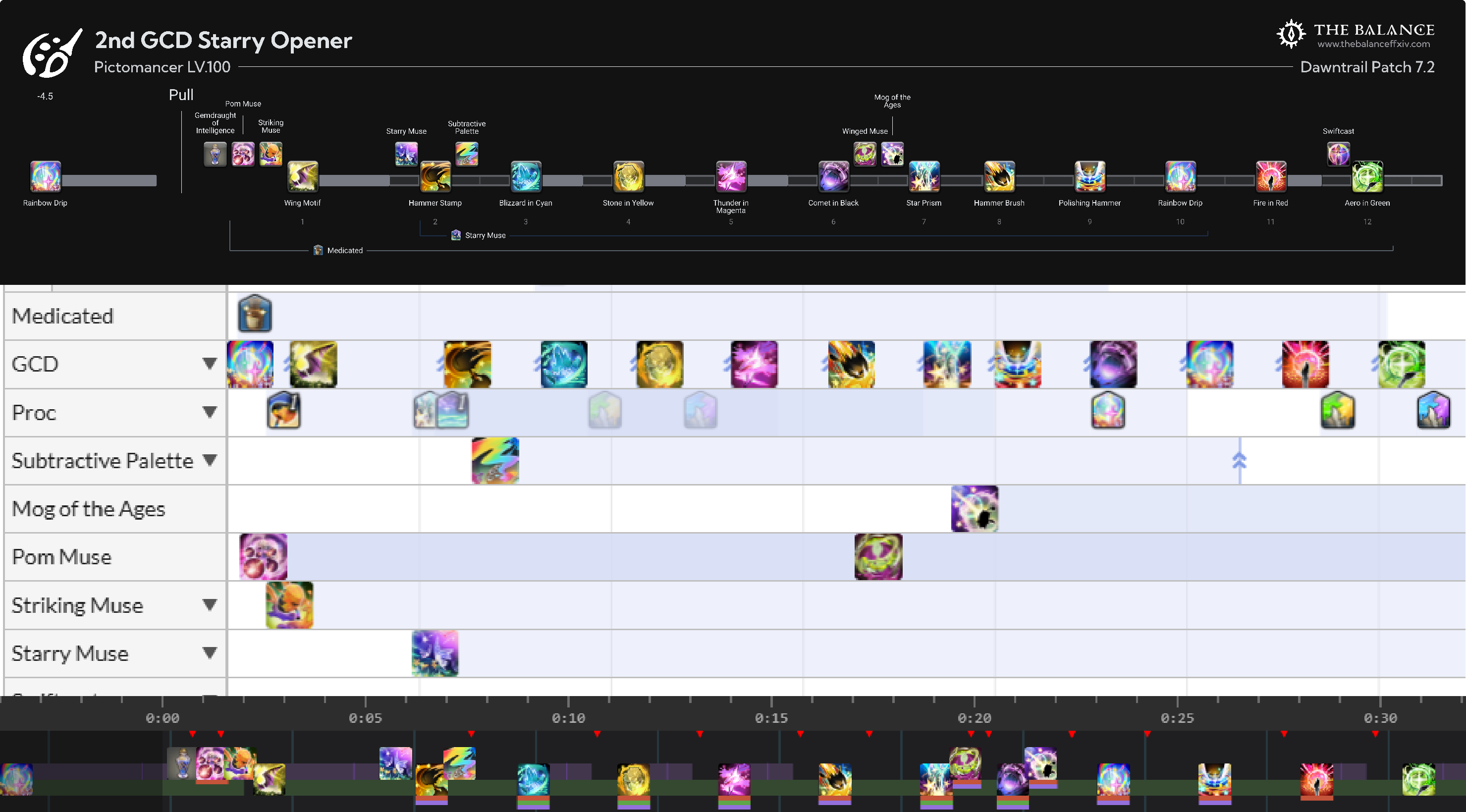 A PCT opener, shown in The Balance’s graphic, XIVAnalysis, and XIV in the Shell.
- Spreadsheet software
Users that have interacted with rotation planners in Google Sheets of Microsoft Excel may be familiar with certain shortcuts or actions, like clicking on a cell to select it, or clicking + dragging to rearrange cells. Though XIV in the Shell’s “timeline editor” is much more limited than a full spreadsheet, it still allows certain keyboard shortcuts (such as shift-clicking to select a range of skills) that function similarly.
XIV in the Shell’s resemblance to both FFXIV and spreadsheet software could be taken a lot further, but a significant chunk of improvements in the past year have been inspired by these two sources.
Interactivity
Direct skill insertion and deletion
Added: 20 Sept. 2025
Starting with the biggest improvements first: the inability to directly insert or remove a skill in the middle of the timeline was a very commonly-cited annoyance. In our 7.2 user survey (which I have not yet replaced even though we’re well into patch 7.3), ⅔ of English-language respondents and ⅓ of Chinese-language ones requested a direct skill insertion feature, with direct skill deletion following close behind. As of this month, both are now possible to do!
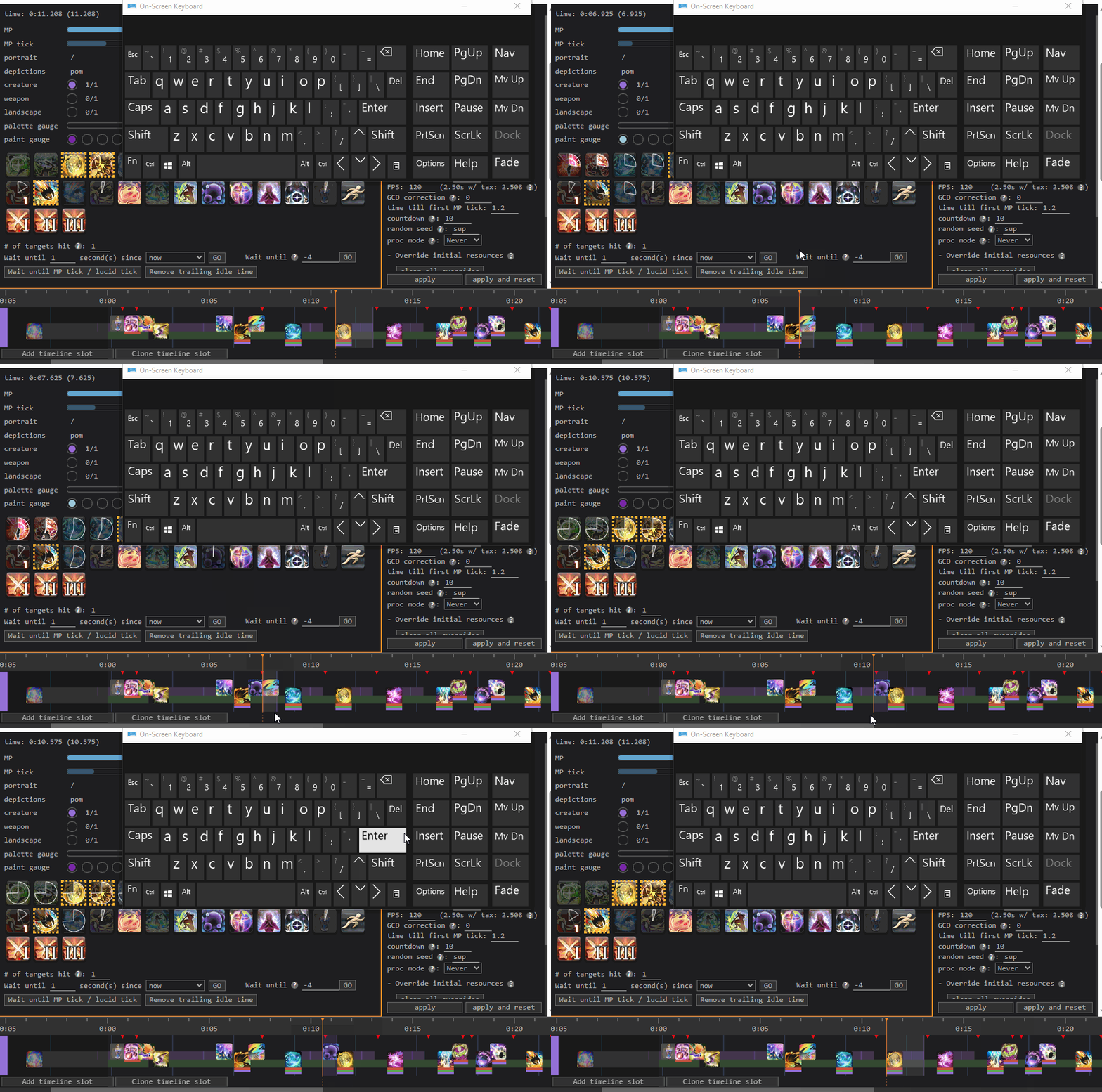 After: Inserting and deleting Addle in current XIV in the Shell.
Adding a skill usage to the middle of a timeline used to be quite a pain. Users would have to use a skill at the end of their current timeline, then use the timeline editor table to move the newly-added skill to the desired position. This was remediated with the addition of the “move end of selection to start of selection” button, and by click-and-drag functionality added later on, but still created a significant point of friction.
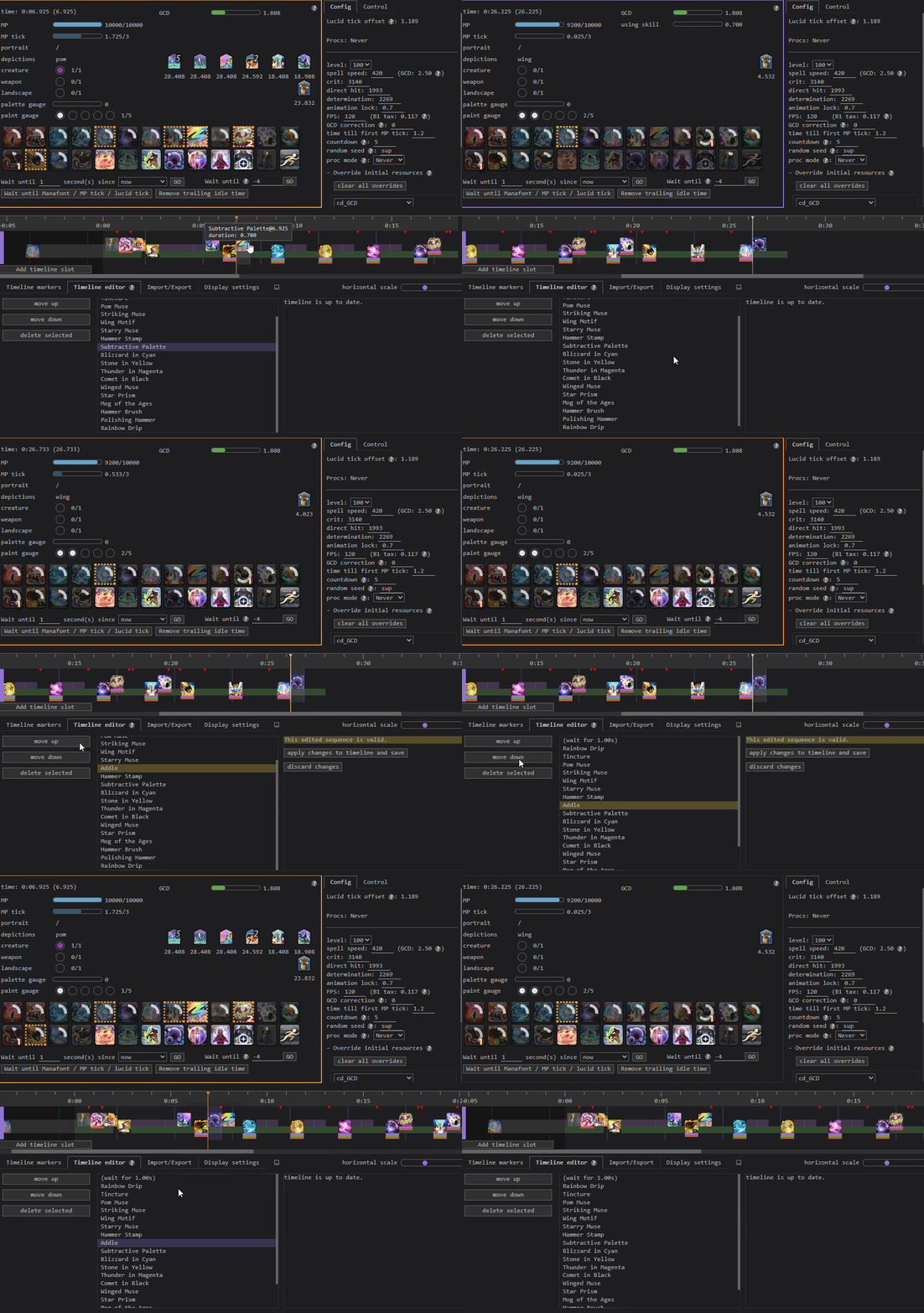 Before: Inserting and deleting Addle in old PCT in the Shell.
Deleting a selected skill would previously delete all skills after it in the timeline as well. Deleting a single skill from the middle of a timeline could be done through the “timeline editor” tab, but this was still somewhat counterintuitive. We held off on making all deletions affect only a single selection to avoid breaking expectations for users that had come to rely on the old behavior, and paired it with the addition of direct skill insertion and other behaviors to minimize the frequency of breaking changes.
Rearranging skills with click/drag
Added: 3 Aug. 2025
When XIV in the Shell was formed, re-ordering skills was exclusively done through the timeline editor table. Contemporary XIV in the Shell now lets users click and drag to rearrange skills.
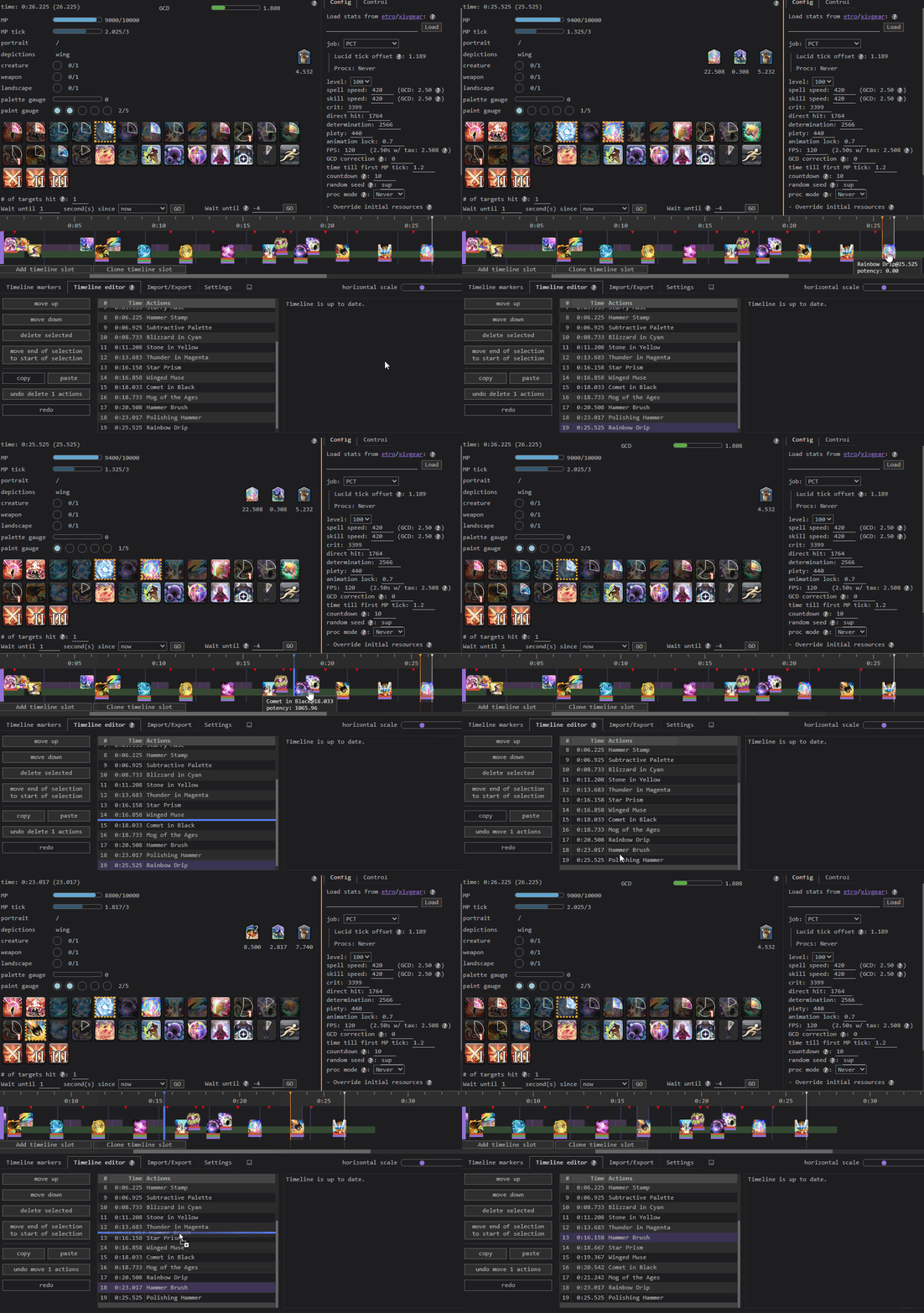 Dragging some skills around in XIV in the Shell.
Undo/redo and copy/paste
Added: 20 Sept. 2025
XIV in the Shell now supports undo/redo shortcuts, as well as copy/paste. Copy/paste also works with external applications like spreadsheets and Discord!
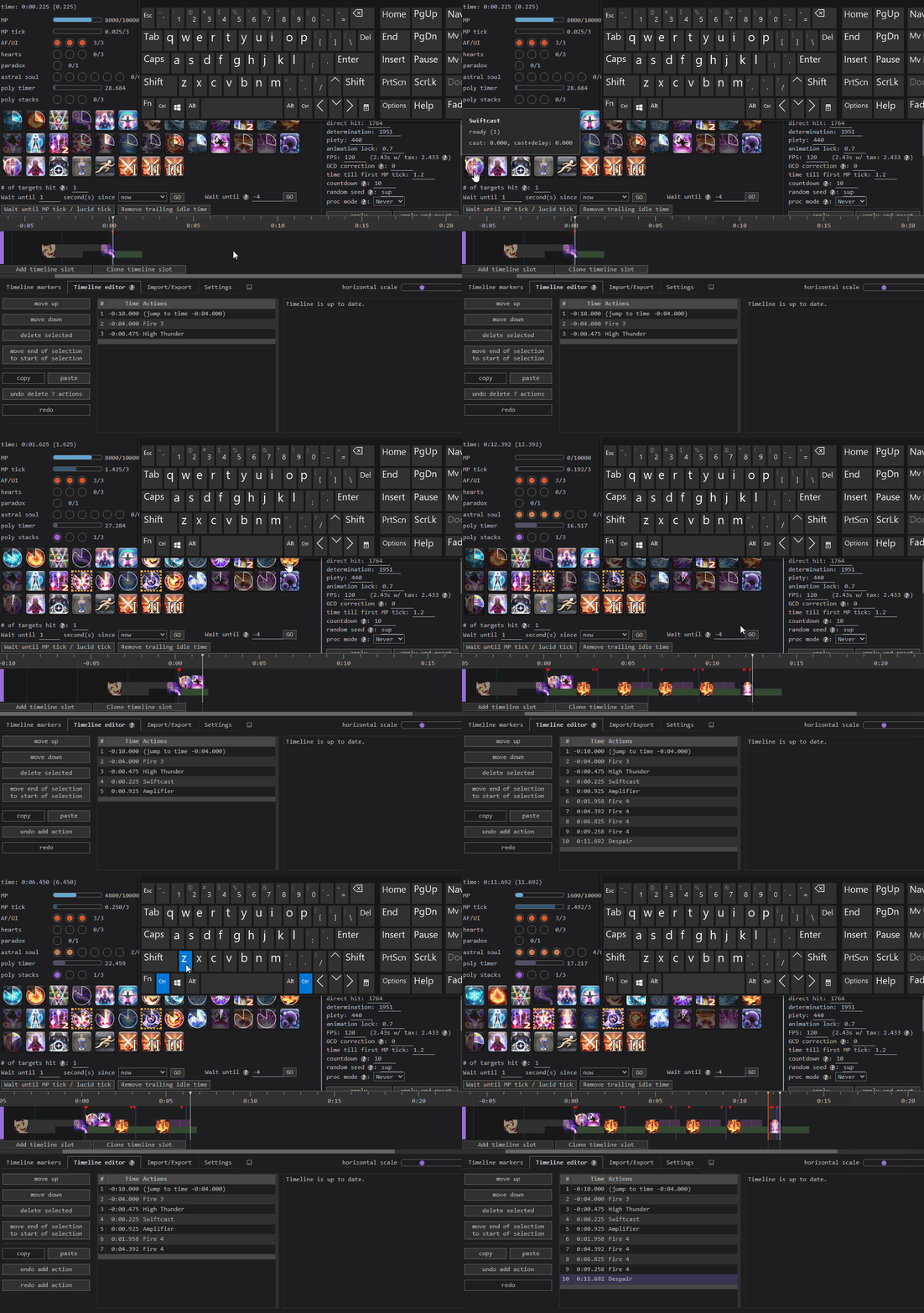 Undoing and redoing in XIV in the Shell.
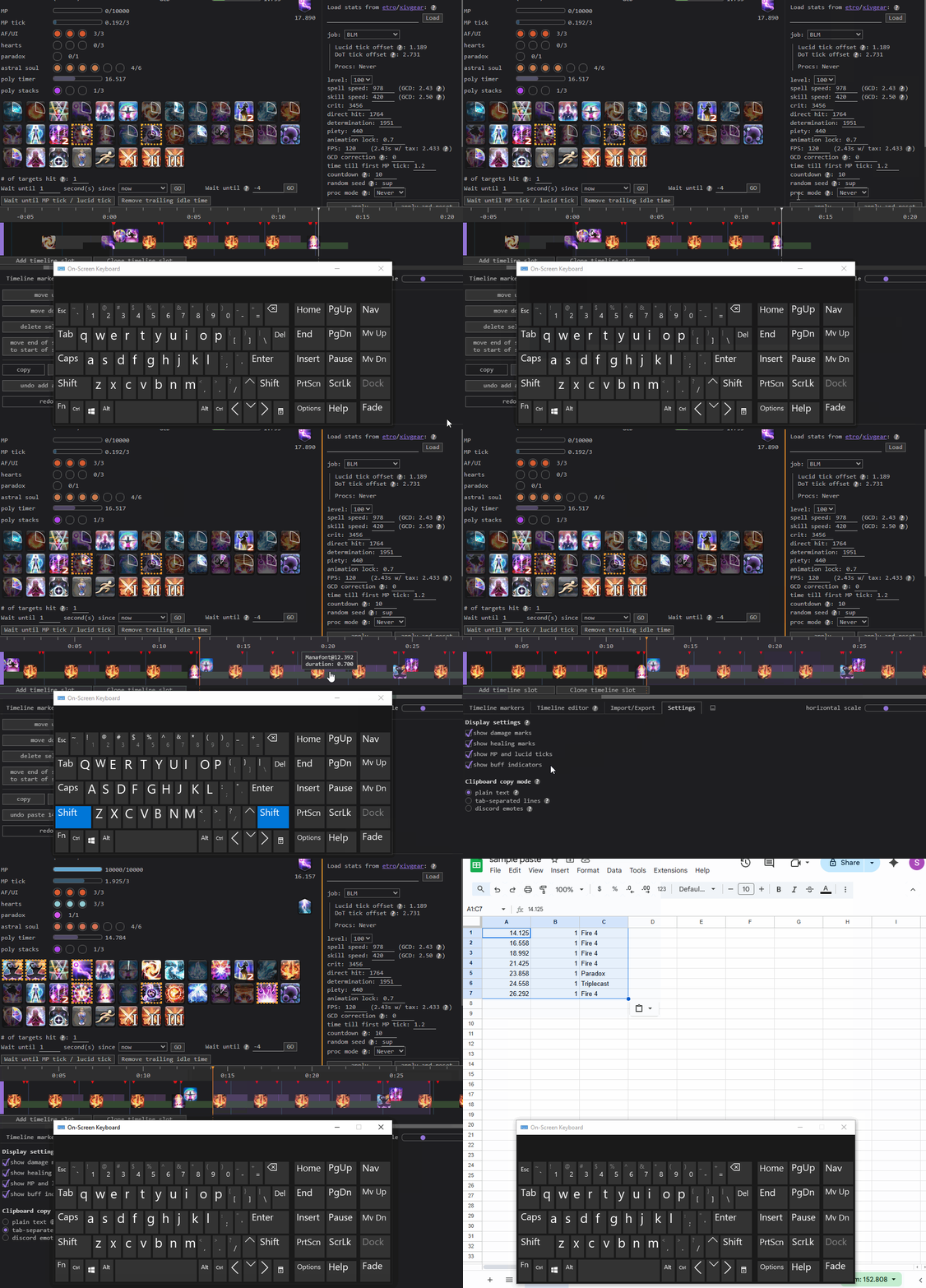 Copy/paste integrations with Discord and Google Sheets in XIV in the Shell.
Copy/paste could previously be simulated with the “skill sequence presets” feature, but this required additional effort to use, and many users never discovered this feature in the first place.
Handling invalid timelines
Added: 3 June 2025
Older versions of the site did not allow invalid timelines to be loaded, and would report an error and delete any invalid actions in a timeline. Invalid timelines created by rearranging skills in the timeline editor could not be saved. Now, invalid timelines can be saved and rendered, and users can freely rearrange skills to fix the source of the error.
Single-clicking to use skills
Changed: 16 March 2025
Previously, XIV in the Shell often required clicking twice to use a skill; the first click skipped to the end of the current animation lock/cast/cooldown, while the second actually cast the skill. Eventually, we decided that the distinction between the two clicks wasn’t obvious and didn’t benefit many users, and now skills are used immediately upon clicking their hotbar icon.
Visuals and Iconography
Making the changelog more obvious
Changed: 17 May 2025
Making breaking changes to software is hard. Even if a particular feature is hard to learn or overall obtuse, there’s a good chance that some users have come to depend on it (xkcd.com/1172).
Quite a few historical pain points with XIV in the Shell required changes to interactions that might surprise veteran users. You can’t make an omelette without breaking a few eggs, but you can still at least give people a heads-up that the eggs are going to get cracked… or something like that. Anyway, the changelog used to be buried in the “About this tool” section. In anticipation of large UX changes and feature additions, we moved the changelog to be more visible and color-coded to indicate when major changes were released, so as to minimize confusion when a feature worked differently than it did before.
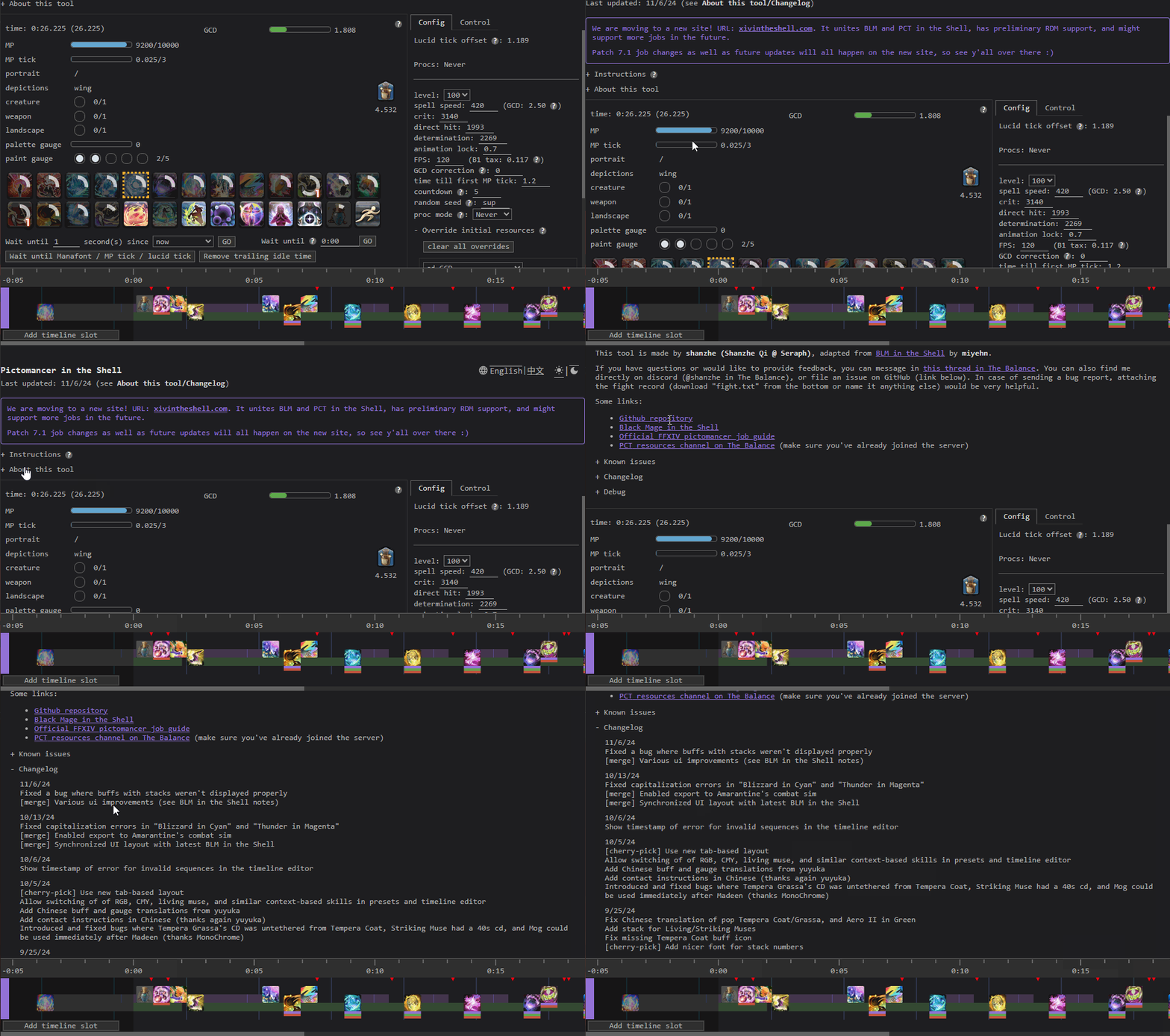 Before: Navigating through expandable menus to find the changelog in PCT in the Shell.
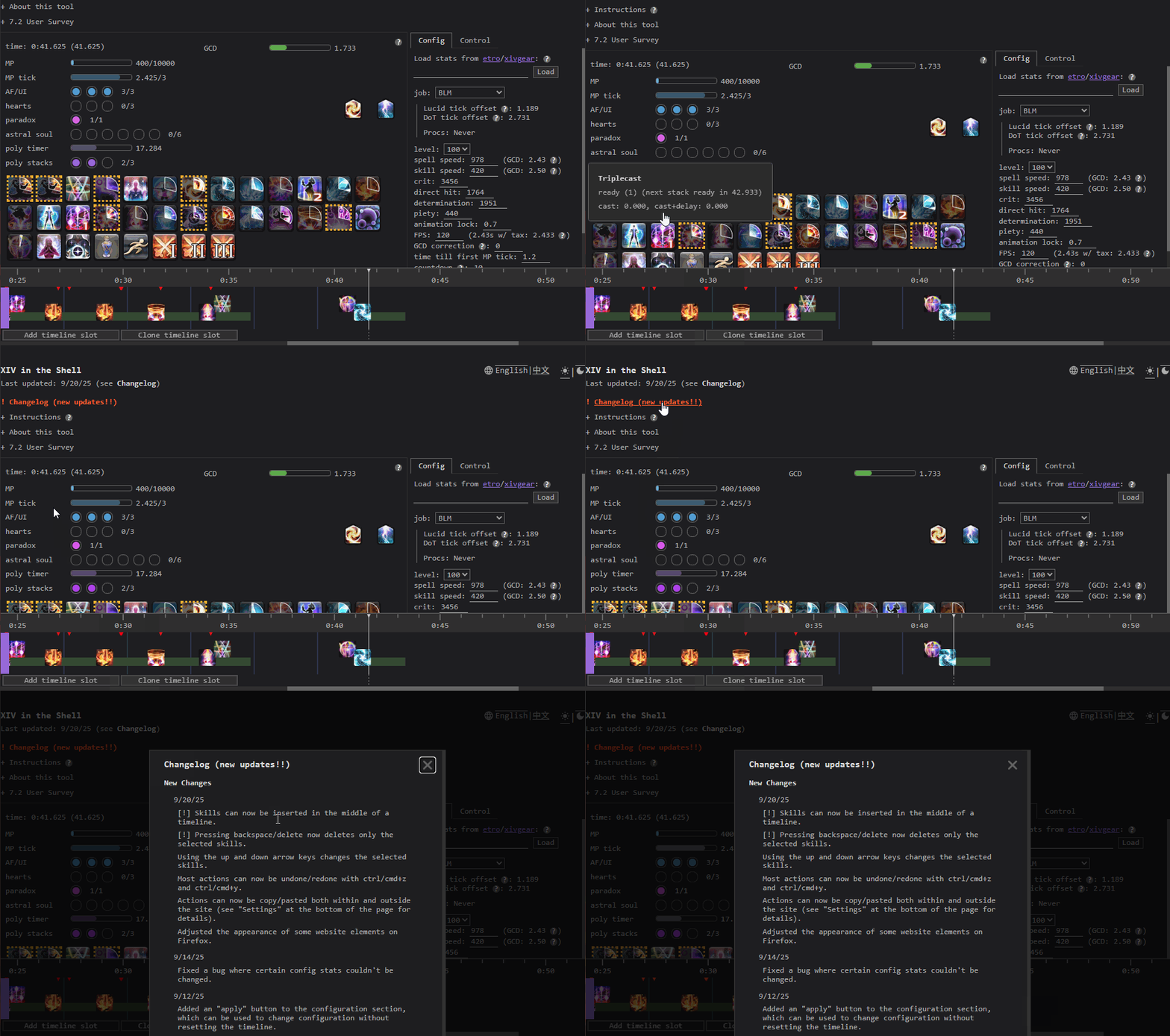 After: Highlighted and easily-accessible changelog dialog in XIV in the Shell.
Charges and better cooldown circles in the hotbar
Changed: 25 Sept. 2024 and 5 Dec. 2024
BLM in the Shell originally didn’t display charge counts for abilities like Triplecast that had multiple charges. Skills on cooldown were also fully grayed out with a lighter gray circle above, which could be difficult to make out for certain abilities. Now, XIV in the Shell has some very nice-looking charge numbers, and icon shading closer to what’s shown in-game that makes it easier to tell a cooldown’s progress at a glance.

 Before: Triplecast on cooldown in EW BLM in the Shell.
 After: Triplecast on cooldown in XIV in the Shell.
Better contrast and timestamps in the timeline editor table
Changed: 3 June 2025
This one’s pretty self-explanatory. Two pictures are worth two thousand words:
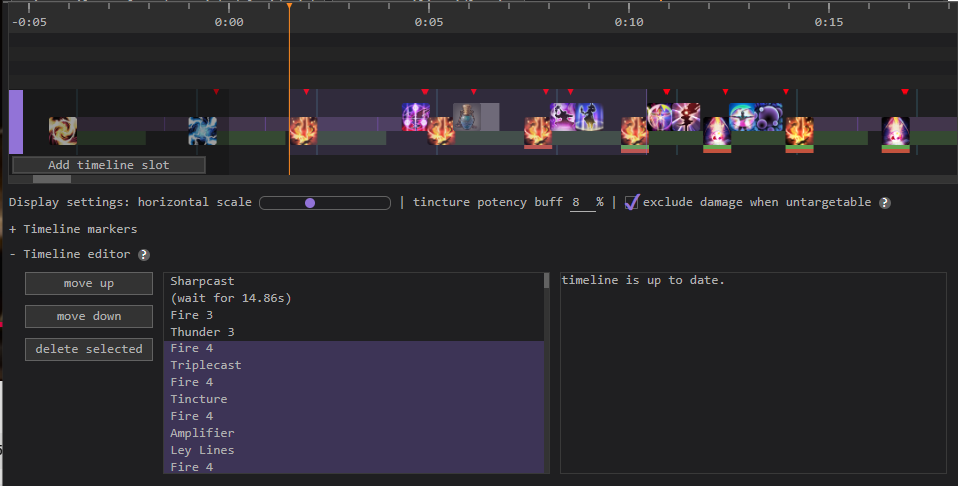 Before: The old timeline editor table in Endwalker BLM in the Shell.
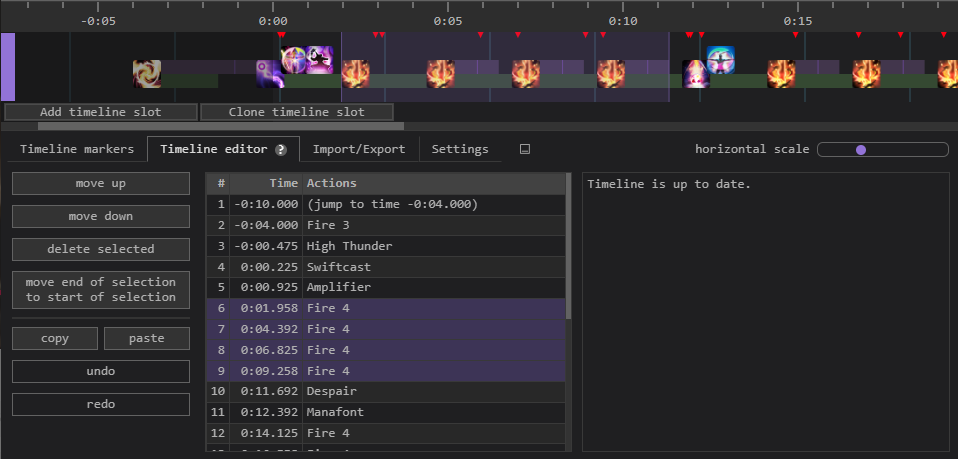 After: The new timeline editor table in XIV in the Shell.
Synchronizing the timeline editor and visual timeline
Changed: 3 June 2025
Changes in the timeline editor table originally did not appear in the visual timeline until the “apply” button was pressed, which made changes hard to visualize. Now, the two displays are always synchronized.
Splitting markers and the editor into tabs
Changed: 5 Oct. 2024
The Endwalker edition of BLM in the Shell kept timeline markers and the timeline editor tab as expandable items at the bottom of the webpage, and both features could be difficult to discover for new users. As the site gained more functionality and webpage real estate became more difficult to come by, we elected to put them into a more organized tab set instead.
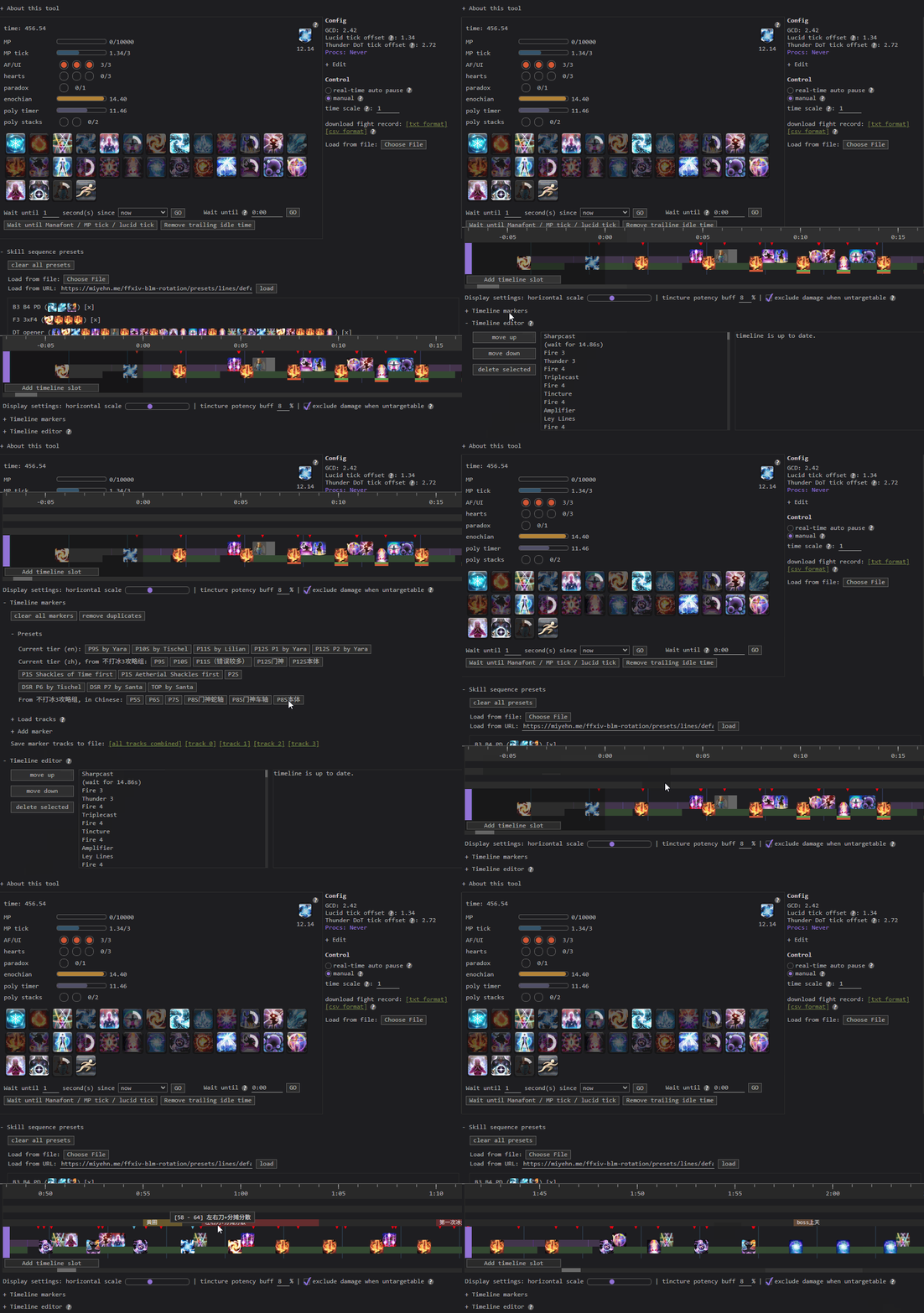 Before: Finding the expandable editor and timeline markers in Endwalker BLM in the Shell.
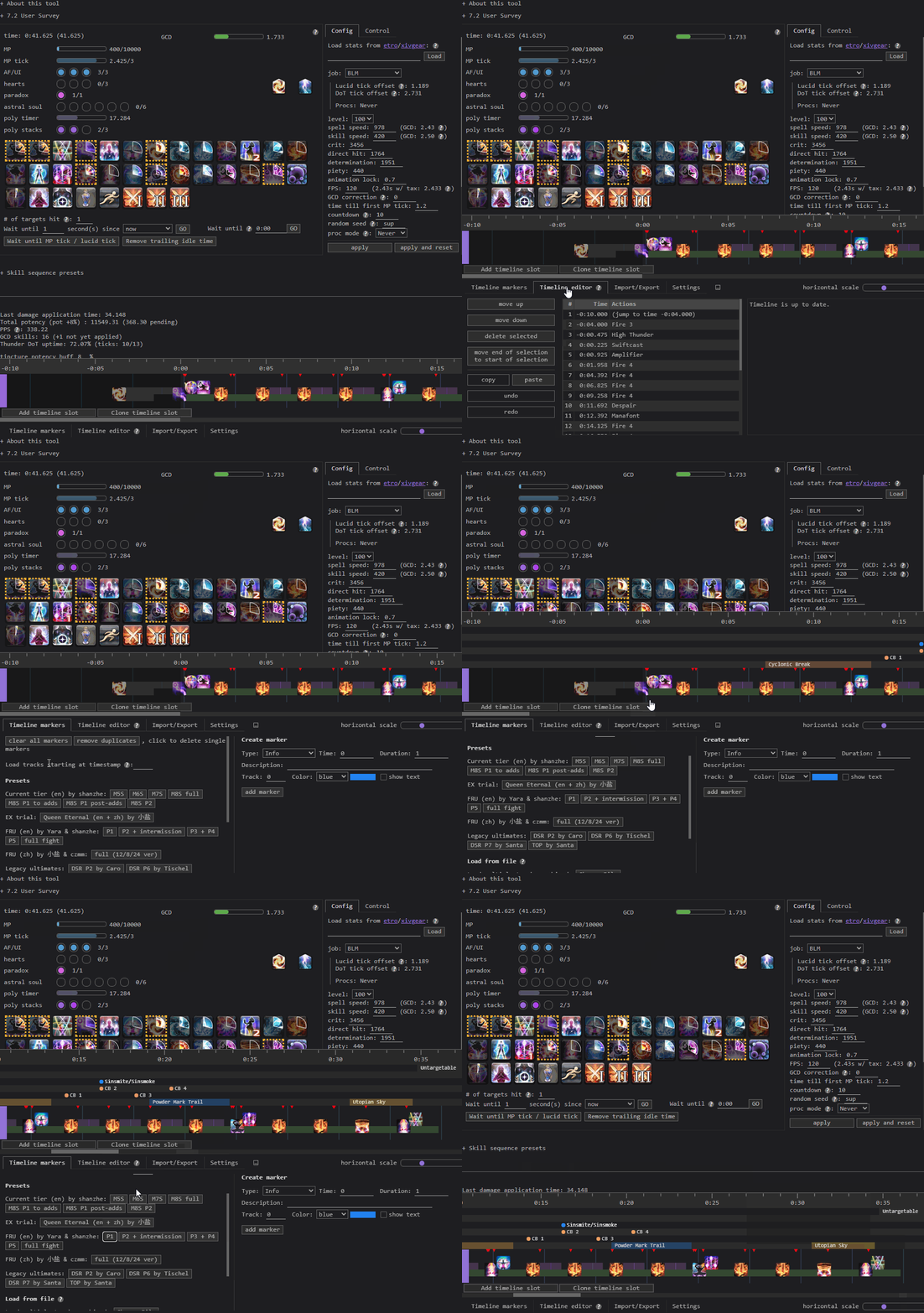 After: The marker and editor tab sets in XIV in the Shell.
They can still be hard to notice by virtue of being at the bottom of the page, but it’s a step up from the old layout.
Miscellaneous Stuff
Different kinds of “waits”
Added: 3 June 2025
The “wait until __ seconds,” “wait until __,” and “wait until MP/Lucid tick” buttons all serve slightly different purposes. The first is mostly used to late-weave abilities or add other small delays, the second to wait until the end of an untargetable portion, and the last for BLM-specific lines that require reaching certain MP thresholds.
Originally, all of these buttons generated equivalent events in a timeline. For example, if the next MP tick would occur 2.5 seconds in the future, hitting the “wait until MP tick” button would be equivalent to hitting “wait until 2.5 seconds from now.” This created significant obstacles for common actions like saving MP-dependent lines as presets, changing the spell/skill speed for a timeline, or even just rearranging abilities in the editor. Having fixed durations for these different types of waits did not fully reflect users’ intents.
XIV in the Shell now treats all three kinds of “waits” separately, preserving intended behavior across timeline edits. If a user wants to wait for an MP tick, the duration spent waiting for that tick will change as the rest of the timeline is edited. Conversely, if a user wants to wait for a specific timestamp where an enemy becomes targetable, the end of that wait event will always be fixed to that timestamp.
Only deleting the active timeline slot
Changed: 1 March 2025
Previously, any timeline slot could be deleted by clicking the little “x” button on its handle. Apparently this caused at least one user to accidentally delete a slot when trying to switch timelines, so we removed that footgun and now only let users delete the currently active slot.
Changing configuration without resetting
Changed: 12 September 2025
In older versions of XIV in the Shell, changing any configuration field (including stats like DH and crit that had no effect on timeline order) would force users to reset the timeline before making the change. This is no longer the case, and users can immediately see the effects of changing spell/skill speed or overriding initial resources.
The “apply and reset” button, which used to display a * to indicate when a stat change had been made, also accidentally got hidden out of view by default as more stats were added to configuration. The button has since been fixed to always be visible.
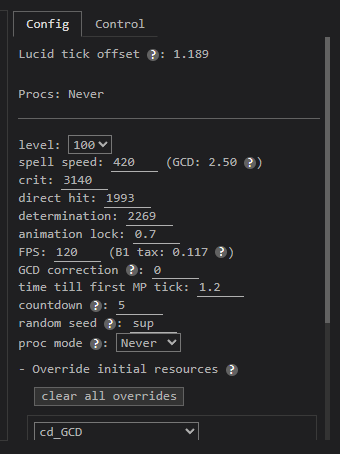 Before: Config panel in PCT in the Shell, with “apply and reset” button out of view (oops).
 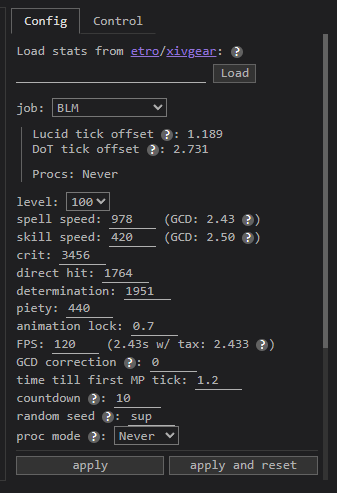 After: Config panel in XIV in the Shell, with both “apply” and “apply and reset” options.
What’s Next?
XIV in the Shell has come a long way in its usability, but there’s still a lot of room for improvement. Here’s a few things we’ll be looking at in the near future:
- Better marker preset layout: As we get more relevant content with preset fight tracks, it’s becoming harder to fit all our presets in the “timeline markers” section in a visually clean way.
- Better discoverability: Many users don’t know how to use core features like importing fight timeline markers, adding buff markers, overriding initial resources, and creating skill sequence presets. These could all stand to be made more obvious.
- Better tutorialization: The “instructions” section covers the basic controls for the site, but doesn’t touch the full breadth of XIV in the Shell’s features. A more comprehensive manual/instruction page can help make the learning process easier, and supplement discoverability improvements to make finding important features easier.
Feel free to reach out on Discord or Bluesky if you have any suggestions! If you have coding skills and some spare time to help out, you can also check out some of the tasks on our GitHub issue tracker.